
Latest

n8n Tutorial for Beginners: Build Your First AI Automation in 45 Minutes (From Scratch)
n8n is a workflow automation tool. So, before learning n8n, it is important that you understand what a workflow truly means. So, what is a workflow? A workflow is a set of steps you follow to complete a digital task from start to finish. If a task needs more than

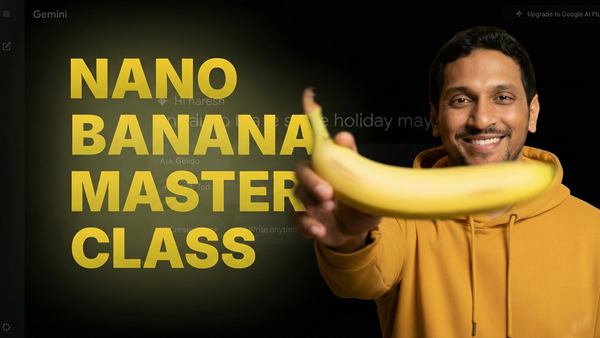
How to develop story-driven illustrations using Nano Banana
In the last chapter, we created a happy bee illustration. I have finalized this illustration for the happy bee. Now, by using this illustration as the base scene, we'll create a complete story by adding three additional scenes. ✋Important: Do this in the same chat so that Nano

Creating usable illustrations using Nano Banana
Nano Banana can create great illustrations in a lot of styles. And after generating hundreds of AI illustrations, I have realized that every prompt that generated a successful illustration has four key details. 1. The main character and their personality 2. The activity that is being performed by the main

Fixing bad results produced by Nano Banana
Although Nano Banana is a great image editing tool, sometimes it produces really bad results. It becomes a kid who doesn't want to listen to you. 0:00 /0:05 1× But don't worry. You can use refinement prompts to fix the bad results and, if

Image Editing Basics with Nano Banana
Nano Banana is great at editing images. And to help you master that, in this lesson, we will work on the ten most practical use cases of image editing that people can relate to. Simply put, we will learn how to edit photos, illustrations, and logos. Come on, let'

Master AI-Generated Logo Design using Nano Banana
Along with two other approaches, understand and use the 7-step prompt framework for generating great logos with Nano Banana. Master a lot of real-world prompting tactics along the way.

Can ChatGPT generate usable graphic designs yet?
Spoiler alert: Yes and No. It depends on the type of graphic design and use case. In this lesson, I’ll walk you through how I, a web designer, developer, blogger, and a small business owner, use ChatGPT for creating visuals like product photos, infographics, and logos. “Jack of all

How to create AI product photography using ChatGPT
There are many tools for creating product photography shots using AI. But I feel ChatGPT provides more creative control because it doesn't limit you with templates. For the purposes of this lesson, I will show you how to create a simple product photographic shot from scratch in four
What is a vector database and how it works
Imagine that you're two minutes away from an important presentation. You join the virtual meeting and confidently begin your introduction. And bang! The chat is exploding with “We can't hear you!” messages. To fix the problem, you quickly check your settings, try plugging and unplugging your
Project: Getting website performance score automatically
The problem I have a client who runs a digital marketing agency and works with over 45 doctors. Each doctor has their own website, and the agency is responsible for keeping these websites SEO-friendly and running smoothly. Part of their job is to send each doctor a monthly performance report.
How to create credentials for Google APIs
Google lets you access all its powerful services by providing an API for each one: 1. Places API (Premium)- Provides detailed information about places (e.g., businesses, landmarks). 2. Custom Search API — Enables developers to add web search and site search capabilities to their websites or create SEO tools
The core components of an API-based HTTP request
Now that you understand how websites, URLs, and APIs work, let's go a level deeper and see what makes up an HTTP request. As I mentioned in the last lesson, every HTTP request consists of six parts: 1. The API endpoint– Where the request is sent 2. The

Make.com HTTP Modiule
The purpose of the HTTP protocol
Understanding URLs and Websites We use websites every day and access them using unique URLs, right? For example, we type in the URL https://www.google.com to access Google's website. Similarly, we type in the URL https://www.instagram.com to access Instagram's website. Just
Make.com HTTP Modiule
Manually crafting APIs requests using HTTP modules
As you already know, the official apps on Make.com makes it really easy to work with popular services like Google Sheets, Convertio, Airtable, and a ton of other services. But sometimes, you need to work with APIs that don’t have an official app on Make.com. For example,

Make.com AI Automation
Delay the next step of the automation using the Sleep module
Sometimes, it's best to delay the next step of an automation rather than executing it immediately. For example, if ChatGPT's analysis determines that an applicant is “Not Recommended,” we should send them a rejection email. But instead of sending the rejection email immediately, we can send

Challenge: Notify HR When an Applicant is a Strong Hire
So far, we’ve built a solid automation: It works well, but we can make it even better! Right now, ChatGPT evaluates resumes and gives a Final Recommendation with one of these four options: 1. Strong Hire 2. Potential Hire 3. Need More Information 4. Not Recommended Now, let’s

Solution: Requesting ChatGPT to respond in JSON Format
The solution to our problem is two-folds: 1. First, Instead of receiving a long text response from ChatGPT, we need ChatGPT to output its analysis in JSON format. 2. Next, we need to force Make.com to parse the structured JSON data produced by ChatGPT and convert that data into

The Problem: Extracting key details from ChatGPT response
In order to understand the problem, we should try to map the key details from ChatGPT’s verdict to the corresponding columns in the Airtable base. But before that, we need to implement the following steps: 1. Add the “Create a Record” module from Airtable at the end of the

Using the capabilities of AI and ChatGPT inside Make.com scenarios
The Agenda Here is the automation we have built so far: 1. Using Tally’s module, we’ve set up a webhook to detect resume submissions. 2. When a resume is submitted, the automation instantly gets triggered and sends the resume file to the Convertio API. 3. Finally, Convertio converts
How to perform file conversion on the fly during an automation run
In the last lesson: 1. With the help of Tally's “Watch New Responses” module, we set up a webhook that listens for form submission events. 2. Once the form is submitted, we receive its details in a bundle, including the file URL of the uploaded resume. If you
How to test an automation with webhook as its trigger module
If you remember, Tally has shared a link for accessing the form: Your form link will look different. Use it to submit a resume. You can either use your resume or my resume as the file upload: naresh-devineni-resume-2024Download “Okay! I have submitted the form, but the automation didn't

Adding a webhook trigger to our automation
Webhooks Recap Unlike the automations we have built so far, the resume screener automation only needs to run when someone submits a CV. In other words, instead of running all the time or manually running at the click of a button, the automation should wait for the event (a CV
Setting up the APIs of Tally.so, OpenAI, Airtable, and Convertio platforms
For the automation to kick in, an applicant must fill in the job submission form. That's the input data for our automation. From there, the automation will take control. So... First, we should build a form on the Tally.so website. The need for a form builder service